
How to Use the uploadblog website to Post Content Online
Starting your own corner on the internet can feel a bit scary at first. There are so many platforms out there, and many of them require you to know complicated coding. If you just want to write and share your thoughts, you need something simple. That is where the uploadblog website comes in handy for creators. This platform makes it incredibly easy for anyone to type up an article and hit publish without any tech headaches. Whether you want to write about your favorite hobbies, share school tips, or talk about business, this tool keeps things simple.
When you use a dedicated blogging platform, you do not have to worry about buying expensive software. You can simply log in, format your text, and send your words out into the world. It works just like a basic word processor that you might use for school reports. Many people love this approach because it saves time and lets them focus entirely on their writing. Let us dive deep into how this platform works, what features it offers, and how you can get started today.
What Exactly Is the Uploadblog Website?
The uploadblog website is a specialized online platform designed for digital publishing and content creation. It serves as a user-friendly space where writers, students, and professionals can share their ideas without needing to build a custom site from scratch. Think of it as a shared digital billboard where you can pin your articles for the whole world to see. It handles all the backend coding for you automatically. That means you can focus entirely on your words, pictures, and stories.
For many beginners, this blogging platform serves as the perfect training ground for modern digital marketing. You do not need to understand HTML or web hosting packages to get your work online here. You simply create a free account, open the writing dashboard, and start typing your thoughts. The system automatically formats your text so it looks clean and beautiful on both mobile phones and desktop computers. It is a highly efficient way to build an online footprint.
Why Choosing the Right Blogging Platform Matters
Picking the right place to host your writing is a massive step for your digital journey. If a platform is too hard to use, you will probably get frustrated and stop writing altogether. A good platform should feel smooth, fast, and very easy to understand from day one. The uploadblog website focuses heavily on simplicity so that technical issues never block your creative flow. When software is easy, you write much more often.
Choosing a solid platform also helps your articles show up better on search engines like Google. Good platforms have clean code that search robots can read without getting stuck. If your platform is slow or messy, people will leave your page quickly. By using a streamlined system, you give your content a much better chance to reach real readers who care about your topics.
Core Features of the Uploadblog Website
This platform comes packed with helpful tools that make content creation feel like a fun game. First, it features a visual text editor that lets you make text bold, add links, and change headings with one click. You can also drag and drop images directly into your paragraphs to make your posts look exciting. It also includes simple sharing buttons so your readers can send your posts to their friends on social media.
Key Features Summary Table
| Feature Name | What It Does for You | Best For |
| Visual Editor | Lets you format text without using code | Beginners and fast writers |
| Image Uploader | Drags and drops pictures into your posts | Making articles visual and fun |
| Social Sharing | Adds quick buttons for Facebook and X | Growing your audience fast |
| Clean Layouts | Makes text easy to read on mobile phones | Keeping readers on your page |
How to Set Up Your Free Writing Account
Getting started on the uploadblog website takes less than two minutes of your time. First, you open your web browser and navigate to their main homepage. Look for a bright button that says “Sign Up” or “Create Account” in the top corner. You will need to type in a valid email address and pick a strong password to keep your work safe.
After you submit your details, check your email inbox for a quick verification link from the system. Clicking that link activates your account and opens up your personal writing dashboard. From there, you can customize your public profile by adding a nice picture of yourself and a short bio. This helps readers get to know the real person behind the awesome articles.
Step-by-Step Guide to Your First Blog Post
Once your profile is ready, it is time to start the actual content creation process. Click on the button that says “New Post” to open up a clean, blank writing screen. The page will ask you for a title first, so make sure to write something catchy. After that, move your mouse down to the main body section and start typing your story.
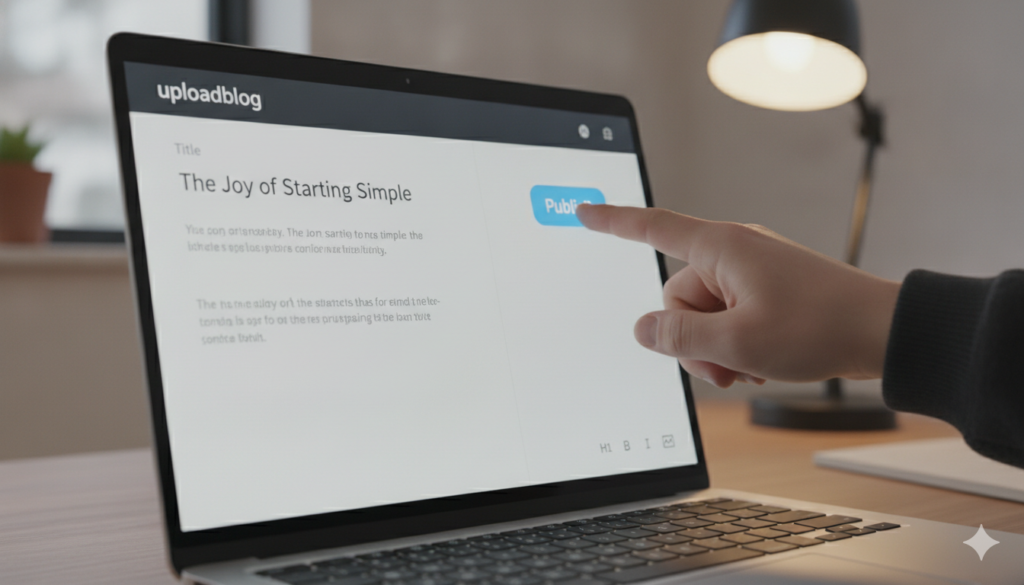
As you write on the uploadblog website, remember to break your text into small paragraphs so it looks neat. You can use the top toolbar to add bullet points or numbered lists if you are sharing a recipe or tips. When you finish writing, hit the “Preview” button to see exactly how it will look to strangers. If everything looks perfect, click “Publish” to send it live.
Understanding Digital Publishing for Beginners
Entering the world of digital publishing means you are now an online author. Every time you publish a post, it receives its very own unique web address called a URL. You can copy this link and share it with your family, friends, or coworkers. Over time, these published pages start building your personal brand and show people what you are passionate about.
It is helpful to think of your articles as permanent digital assets that work for you around the clock. Even while you are fast asleep, someone across the world could be reading your helpful advice. The uploadblog website acts as a reliable host for these assets, keeping them safe and accessible online. The more high-quality pieces you publish, the more authority you build in your chosen niche.
Simple SEO Tips to Help People Find Your Work
If you want strangers to find your articles on Google, you need to learn a little bit about search engine optimization. You do not need to be a tech wizard to use these basic tricks on the uploadblog website. First, make sure your main topic word is inside your article title. This tells search engines exactly what your page is about.
Second, use helpful subheadings throughout your post to organize your thoughts clearly. Search engines love organized articles because they are easy for humans to scan quickly. Also, try to add helpful links to other trusted websites when you mention facts or data. This shows readers and search engines that you did your homework and care about accuracy.
How to Add Images and Media Properly
A giant wall of text can scare readers away faster than a spooky ghost story. That is why you should always add colorful pictures to your posts on the uploadblog website. Images break up long blocks of text and give your readers’ eyes a nice break. You can use free stock photo websites to find beautiful images that match your topic.
When you upload a picture, look for a small box called “Alt Text” or alternative text. Write a short sentence describing what is happening in the photo for people who cannot see it. This small step makes your article accessible to everyone and helps your images show up in Google image searches.
The Importance of High-Quality and Helpful Content
Google recently updated its systems to reward content that is genuinely written for humans by real humans. When you use the uploadblog website, always focus on being deeply helpful to your audience. Do not just copy what five other websites already said. Add your own unique experiences, share your mistakes, and offer real solutions.
Writing high-quality content means you answer the reader’s questions completely so they do not have to look elsewhere. Use a warm, friendly voice that feels like a chat over a warm cup of cocoa. When readers feel like you truly care about helping them, they will bookmark your page and return often.
Building an Audience and Sharing Your Posts
Publishing your article on the uploadblog website is just the first half of the journey. To get people to read it, you need to become your own cheerleader and promote your work. Copy your new article link and post it on your favorite social media feeds. You can write a short description to tease the article and make people want to click.
Another great trick is to read and comment on articles written by other creators on the platform. Leave nice, thoughtful comments on their work to build friendly connections. Often, those writers will get curious, click on your profile, and read your articles in return. Networking is a powerful way to grow a loyal fanbase over time.
Looking at Useful Content Alternatives
While this platform is amazing for simple writing, it is smart to know about other options too. Some creators prefer alternative tools depending on their long-term business goals. For example, systems like WordPress offer more complex design features but take much longer to learn. Medium is another popular site for writers who want a built-in audience from day one.
Choosing between the uploadblog website and other options comes down to your personal tech comfort. If you want zero stress and a fast setup, a streamlined site is usually your best bet. If you want to build a massive online store with shopping carts, you might eventually look at advanced website builders.
Conclusion: Start Your Writing Journey Today
The internet thrives on fresh perspectives, and your unique voice deserves to be heard. Using the uploadblog website removes the scary tech barriers that keep so many brilliant people from blogging. It gives you a clean space, simple tools, and a fast path to becoming a published writer.
Do not worry about making your very first post absolutely perfect. The best way to learn digital marketing and writing is simply by doing it. Head over to the platform, set up your account, and share your first story with the world today!
Frequently Asked Questions
Is the uploadblog website completely free to use?
Yes, the platform offers free account options that let you sign up, write articles, and publish them online without paying any money. It is perfect for hobbyists and beginners.
Do I need to know how to code to use this blogging platform?
Not at all. The platform uses a visual editor, which means you just type and click buttons to format your text, exactly like using a standard school word processor.
Can I upload photos from my phone to the uploadblog website?
Yes, the website is fully mobile-friendly. You can snap a picture with your smartphone, log into your account dashboard, and upload the photo directly into your blog draft.
How long should my articles be on the platform?
A good goal for beginners is to write between 500 and 1,000 words. This gives you enough space to explain your topic thoroughly without making the article too long or boring.
Will my posts show up on Google searches?
Yes, pages published on the site can be indexed by search engines. Using clear titles and helpful subheadings will improve your chances of showing up in search results.